WORLDSTREAMS

Tuning Into Reality

Connecting to the world

Sequencer Academy
Fable 5.2 Motion Graphics. A grain-print portrait in a vermilion jacket against cobalt blue.

Fable 5.2 Guide

Recreate our one-prompt film with Fable 5.2. Connect Sequencer to Claude, copy the brief below, and watch your edit take shape.

1. Connect Sequencer

In Claude, choose Add → Custom → Web or Add custom connector. Name it Sequencer, paste the URL below, and follow the sign-in prompts.
Open Sequencer in Claude
Connector URL
https://mcp.sequencer.media/
If Sequencer is already connected, go to step 2. Claude Free allows one custom connector. If another connector uses that slot, free it before adding Sequencer.

2. Send a film brief

Pick Fable 5.2 and turn on Sequencer under + → Connectors. Paste and send the brief.
Start a Claude chat
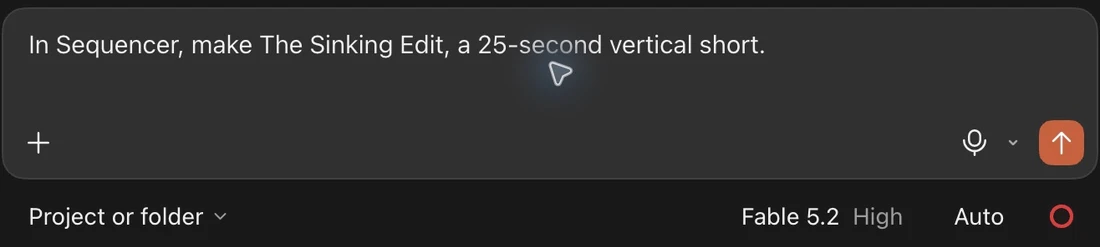
Claude’s composer controls with Fable 5.2 selected and the Send arrow visible.
Recreation prompt
Create “Nobody Edited This Video,” a 37-second vertical motion graphics film for Sequencer Academy. Tell the story of making a film from one prompt in Fable 5.2. Deliver an editable 1080 × 1920 Sequencer timeline at 30 fps.

3. Follow the edit live

Open the project link from Claude. Watch clips arrive in Shots, then play the cut in Timeline.

Open Sequencer projects
Shots
Sequencer’s Shots view with three generated start frames in an example project.
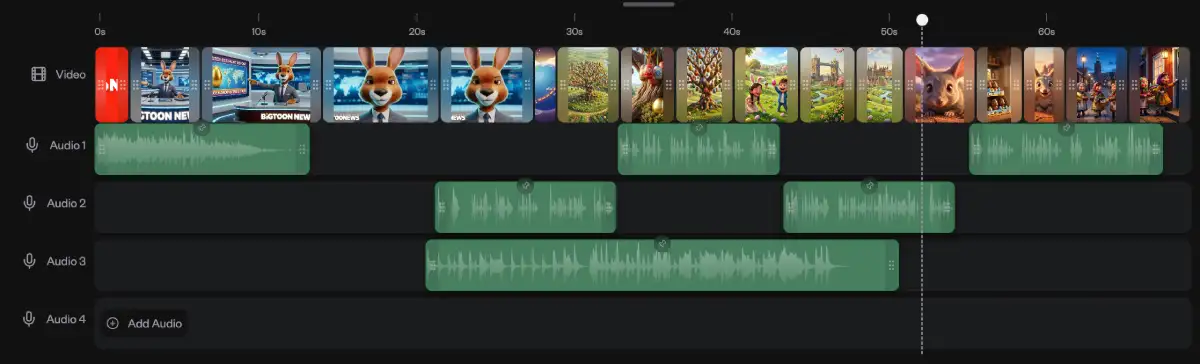
Timeline
Sequencer’s Timeline view with video and audio tracks in an example project.