Create infinite experiences,
in minutes.
Give your World Model a memory, an inventory and a playable interface. GENESIS is the dungeon master for your worldstream: it remembers the world, applies the rules and connects player actions to generated scenes.
Run locally with the included examples. Connect your models when you're ready.
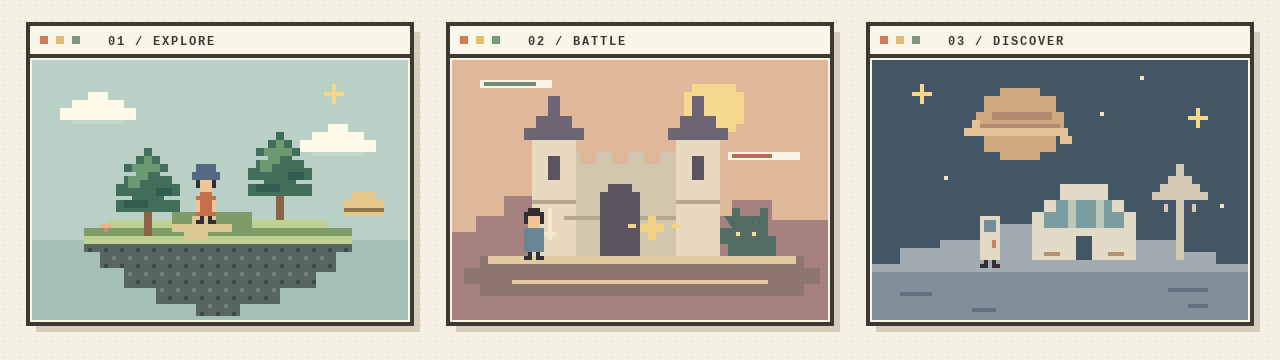
Your World Model needs an Engine.
In a tabletop game, the dungeon master remembers what you carry, who you met and what changed. GENESIS gives infinite experiences that same foundation.
What is a Worldstream?
A Worldstream is a generated video experience you can watch and interact with. In this multiplayer example, two players direct Rick and Morty through their own character controls.
Adventure Time · Land of Ooo
A fantasy journey with audience-choice controls around prepared World Model scenes.
Try the preview playerExample projects
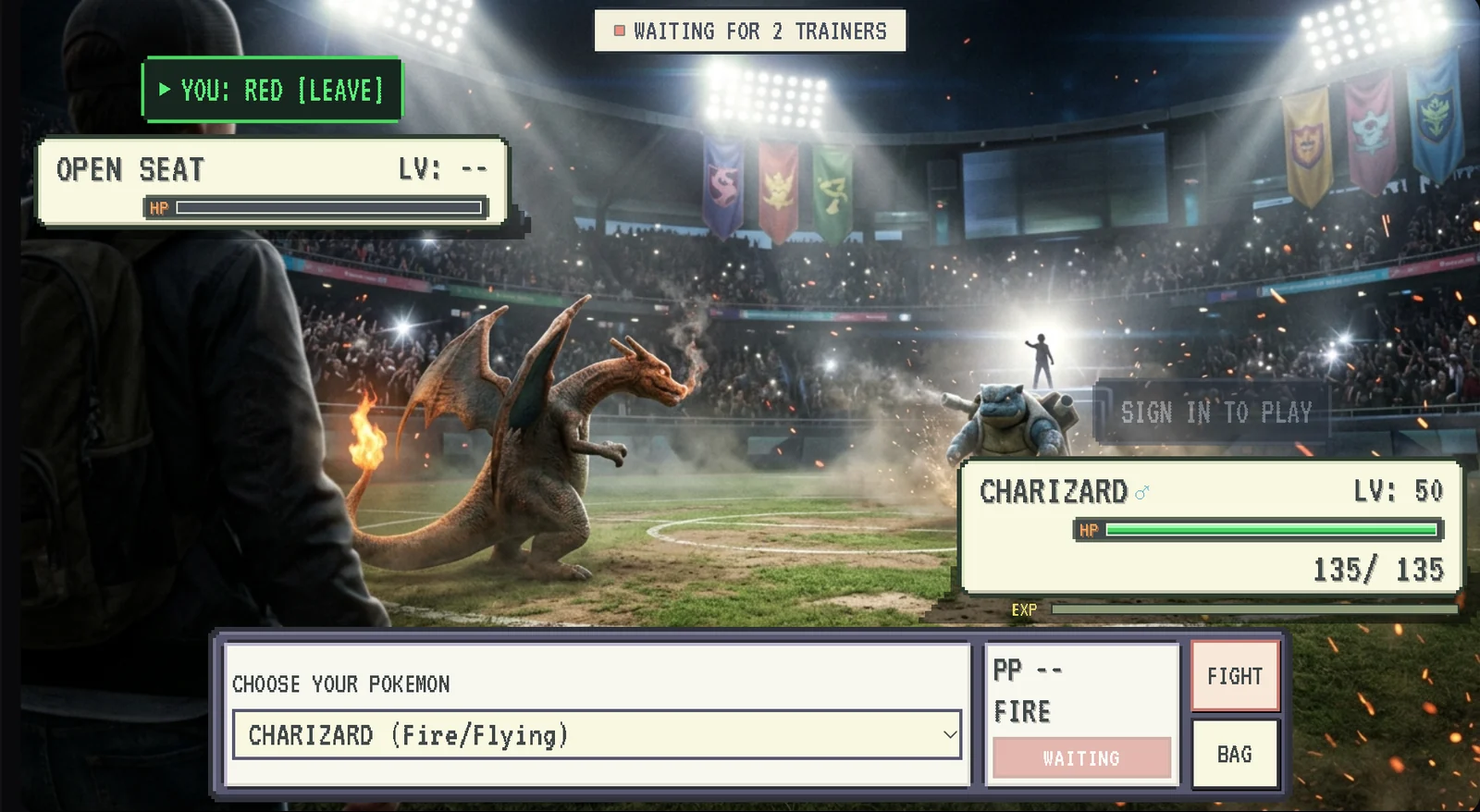
Explore worlds built with GENESIS. Start with Pokémon Stadium, a shared battle experience with persistent game state and its own player interface.
Pokémon Stadium
Two trainers choose their Pokémon, ready up and battle in the same Worldstream.
- Shared turns and a challenger queue
- Type effects, status conditions and items
- Health, EXP and battle progress
- Player controls around generated video
How GENESIS works
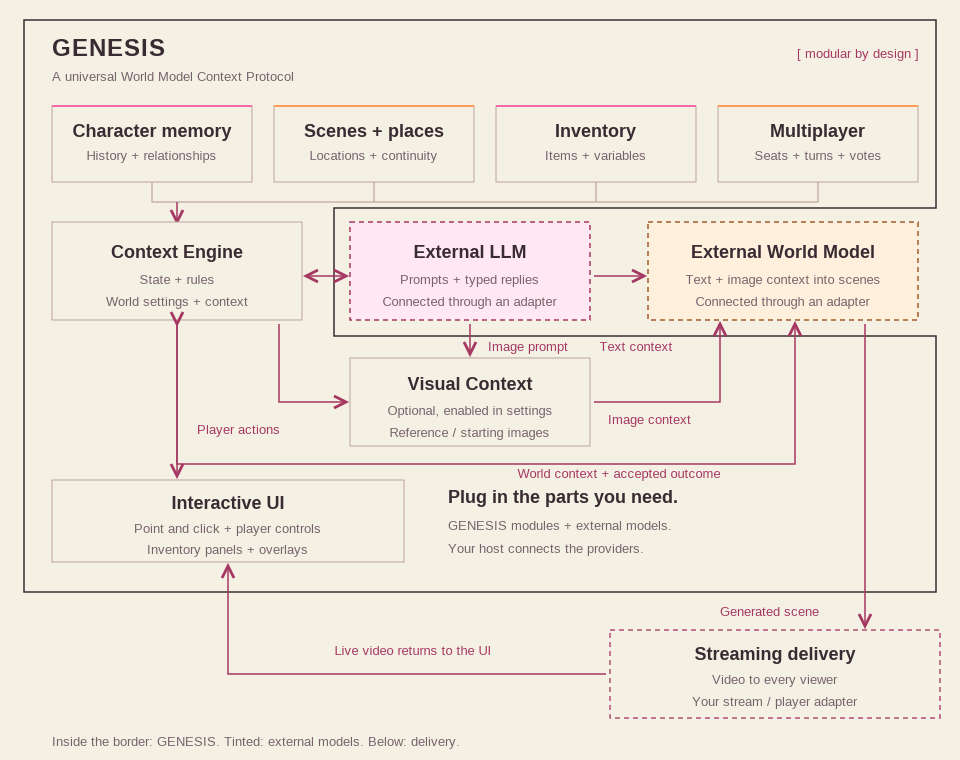
The GENESIS Context Engine turns world memory, settings and player actions into model context. An external LLM creates prompts and structured replies. Your World Model generates the scene, streaming delivery brings it to the interface, and the next action continues the loop.
Visual Context is an optional part of the GENESIS Context Engine. It uses world settings and LLM prompts to prepare starting or reference images, then sends image context directly to the World Model alongside text context.
Scroll the diagram horizontally to explore the full loop.
What GENESIS handles
You define the experience. GENESIS runs the state and interaction loop around your connected models.
- Context EngineCombine world memory, settings and accepted actions into context for your connected models.
- World memoryRemember choices, quest progress and relationships from one turn to the next.
- Inventory and variablesTrack items, health, scores and resources using your world's rules.
- Characters and locationsKeep your cast, places and scene facts organized for the next generation request.
- LLM prompts and repliesPass world context to your LLM and validate structured moves, dialogue and choices.
- Visual ContextOptionally create starting or reference images from world settings and LLM prompts, then supply image context to your World Model.
- Custom interfacesBuild player controls, inventory panels and overlays with HTML, CSS and JavaScript.
- Multiplayer and shared rulesCoordinate player seats, turns and crowd votes. Keep everyone's accepted state in sync.
- Scene continuityTrack generation jobs, carry the actual last frame forward and advance after playback.
- Portable worlds and assetsExport your settings, interface, controller and declared media in one complete bundle.
Quickstart with the Genesis skill
Give your coding agent an idea. The included create-world-stream skill guides it through building and checking a playable prototype.
Open Genesis in your coding agent
Clone the repository and open its folder in your agent. The skill is included at
skills/create-world-stream/SKILL.md. View setup commands.Describe your world
Start with the prompt below. Change the setting, controls and visual style to make it yours.
Read skills/create-world-stream/SKILL.md and use it to build Mosslight, a forest battle worldstream with a cream pixel interface. Let two players take turns. Have the backend LLM create four moves per encounter. Remember inventory, health and progress. Start with labeled local fixtures. Validate the project, test the controls, and give me a playable local preview and a complete ZIP export.Play, refine and export
Open the local preview, try the controls and ask your agent for changes. Your ZIP contains the world's code and declared assets, ready to import into a compatible host.
Local previews use prepared responses and media. For live generation, connect the Worldstreams API or your own models.
Follow the full skill quickstart · Run a starter yourself
What can you build?
One engine, many kinds of infinite experience. Start with a world people can play, watch, explore or learn from.
- Play
- Games, multiplayer games and creative sandboxes. Build quests, cooperative battles and worlds players can keep changing.
- Watch
- Infinite TV, interactive stories and live events. Create ongoing shows and performances shaped by the audience.
- Explore
- Travel experiences, social worlds and virtual showrooms. Visit destinations, meet characters and tour spaces together.
- Learn
- Learning experiences, interactive history lessons and robotics training simulations. Practice languages, step into another era or connect specialist simulation tools.
- Practice
- Coaching, training and rehearsal, and therapy and wellbeing. Rehearse interviews and workplace scenarios, or build practitioner-led reflection experiences.
You supply the domain content, rules and any specialist tools your experience needs.
Three files. Your whole world.
my-world/
├── genesis.json      World settings, actions, tools and assets
├── interface.html    Your interface and player controls
├── controller.js     World memory, rules and backend requests
└── assets/           Images, audio and video that travel with you
GENESIS coordinates the world; connected providers generate media. Your host supplies identity, storage, credentials and spending policy. Start building.
Compare World Models, LLMs and pricing.
The source is Apache 2.0 licensed. Version 0.1 is a source preview, with npm publication and the wider launch being prepared. Browse the repository, read the license, contribute or explore the SDK API.